Quick Answer: Yes, you can link Nedbank to PayPal. Add your Nedbank Visa or Mastercard in PayPal’s Wallet, verify the 4-digit code from your statement, then link your bank account using branch code 198 765 and SWIFT code NEDSZAJJ. Withdrawals typically take 3–7 business days. Verified against PayPal’s South African interface in July 2026.
If you’re a freelancer on Upwork, an online shopper on eBay, or a small business owner receiving international payments, linking your Nedbank account to PayPal is essential. But South African users face unique hurdles: FICA requirements, ZAR restrictions, and verification delays that aren’t well-documented.
This guide explains exactly how to link Nedbank to PayPal, how to verify your card, withdraw funds, and fix common errors, with official details sourced from PayPal’s South African policies and Nedbank’s current fee structures.
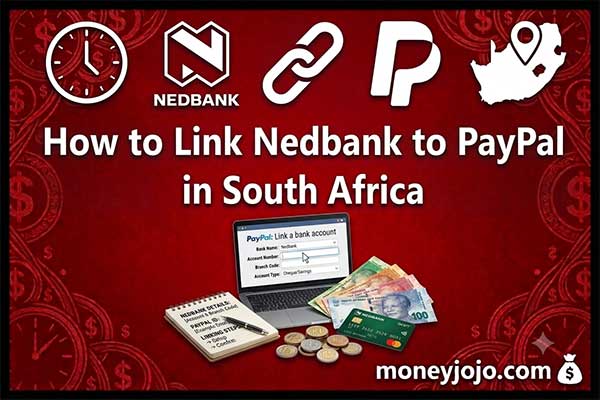
Table of Contents
What Do I Need to Link Nedbank to PayPal?
Before starting, gather the following:
-
Active Nedbank cheque or savings account with card functionality
-
Nedbank Visa or Mastercard debit/credit card (Maestro is not supported)
-
Verified PayPal account registered in South Africa
-
FICA-compliant status on both accounts
-
Billing address that matches your Nedbank records exactly
Important Limitations for South African Users
PayPal does not support ZAR balances. You can hold funds in USD, GBP, or EUR, then withdraw to your Nedbank account where the currency converts to Rand. You also cannot receive direct deposits into Nedbank via PayPal, funds must flow through your PayPal Wallet first.
How Do I Link My Nedbank Card to PayPal?
Step 1: Log Into PayPal and Open Your Wallet
Go to paypal.com and sign in. Click Wallet in the top menu. This is your central hub for managing cards and bank accounts.
Step 2: Add a New Card
Click “Link a card or bank”, then select “Link a debit or credit card.”
Step 3: Enter Your Nedbank Card Details
Table
| Field | What to Enter |
|---|---|
| Card Number | 16-digit Visa or Mastercard number |
| Expiry Date | MM/YY from your card |
| CVV | 3-digit code on the back |
| Billing Address | Must match Nedbank’s records exactly |
Pro Tip: Log into the Nedbank Money app and copy your registered address character-for-character. Even abbreviations like “St” vs “Street” can trigger a mismatch error.
Step 4: Save and Confirm
Click “Link Card.” PayPal will save the card, but it remains unverified until you complete the next step. Unverified cards cannot be used for withdrawals or large transactions.
How Do I Verify My Nedbank Card on PayPal?
Verification proves you own the card and unlocks full PayPal functionality.
What Happens During Verification?
PayPal charges a small temporary authorization (typically R20–R30). This is not a real fee — it is refunded within 30 days. The transaction description contains a unique 4-digit code you must enter into PayPal.
How to Find and Enter the Code
-
Wait 24–72 hours after linking your card.
-
Check one of these sources for the code:
-
Nedbank Money app → Transactions → look for
PAYPAL*1234CODE -
SMS notifications from Nedbank
-
Monthly bank statement
-
-
Go to PayPal → Wallet → Your Nedbank Card → Confirm Card.
-
Enter the 4-digit code exactly as shown.
What If I Don’t See the Code?
Table
| Possible Cause | Solution |
|---|---|
| Card not enabled for online use | Enable in Nedbank Money app under Card Settings → Online Purchases |
| Address mismatch | Remove card, correct address, re-add |
| Pending transaction delay | Check Pending Transactions in the app; wait up to 5 business days |
| Still no code | Contact Nedbank Card Services at 0860 555 111 |
Source: PayPal — Confirm Your Card
How Do I Link My Nedbank Bank Account for Withdrawals?
Linking your bank account is separate from linking your card. This step is required to move money from PayPal into your Nedbank account.
Step 1: Collect Your Nedbank Banking Details
Table
| Detail | Value |
|---|---|
| Account Number | Your 10–11 digit Nedbank account number |
| Branch Code | 198 765 (universal branch code) |
| SWIFT/BIC | NEDSZAJJ |
| Account Holder Name | Must match your PayPal account name exactly |
Source: Nedbank Branch Codes and SWIFT
Step 2: Add the Bank Account in PayPal
-
Go to Wallet → Link a bank account.
-
If South Africa doesn’t appear in the automatic search, choose “Enter bank details manually.”
-
Input your account number, branch code, and name.
Step 3: Confirm via Micro-Deposits
PayPal may send two tiny deposits (under R5) to your Nedbank account within 3–5 business days. Once they appear:
-
Return to PayPal → Wallet → Confirm Bank.
-
Enter the exact amounts to complete verification.
How Long Do PayPal Withdrawals to Nedbank Take?
Once linked and confirmed, withdrawals typically take 3 to 7 business days. There is no strict minimum withdrawal amount, but small withdrawals may be inefficient due to currency conversion margins.
What Are the Fees for Using Nedbank with PayPal?
PayPal Fees
Table
| Fee Type | Cost |
|---|---|
| Currency conversion | ~3–4% above base exchange rate |
| Withdrawal to SA bank | Free from PayPal |
| Receiving commercial payments | 2.9% + fixed fee per transaction |
| Sending payments (funded by bank/balance) | Free |
Nedbank Fees
Nedbank charges incoming international transfer fees depending on your account type:
Table
| Account Type | Typical Incoming Fee |
|---|---|
| Pay-as-you-use | Per-transaction fee (check current pricing) |
| Bundled/Premium accounts | Often includes free international receipts |
Source: Nedbank Pricing Guide
Tip: Contact Nedbank or review your latest pricing guide, as fees are updated periodically.
Why Is My Nedbank Card Declined on PayPal?
This is one of the most common issues South African users face. Here’s how to fix it:
Table
| Error | Cause | Solution |
|---|---|---|
| “Card not accepted” | Using Maestro or unsupported card type | Only Visa and Mastercard work with PayPal |
| “Billing address mismatch” | Address differs from Nedbank records | Copy address exactly from Nedbank Money app |
| “Issuer declined” | Online/international transactions disabled | Enable in Card Settings → Online Purchases |
| “Insufficient funds” | Card balance too low for auth charge | Ensure at least R50 available for verification |
Why Didn’t I Receive the PayPal Verification Code?
-
Wait the full 72 hours before retrying.
-
Check the Nedbank Money app under Card Management → Recent Activity, not just the main transaction feed.
-
The code appears in the transaction description (e.g.,
PAYPAL*1234CODE), not as a standalone SMS. -
If missing after 5 business days, remove the card from PayPal and re-add it.
Why Is My PayPal Withdrawal to Nedbank Delayed?
-
Verify your account number and branch code (198 765) are correct.
-
Ensure your PayPal account has no holds or unresolved disputes.
-
Confirm your FICA documentation is current with Nedbank.
-
If pending beyond 10 business days, contact PayPal support with your transaction ID.
How Does Nedbank Compare to Other South African Banks for PayPal?
If you’re choosing a bank specifically for PayPal integration, here’s how Nedbank stacks up:
Table
| Feature | Nedbank | FNB | Standard Bank |
|---|---|---|---|
| Card acceptance (Visa/Mastercard) | ✅ Yes | ✅ Yes | ✅ Yes |
| Direct PayPal service partnership | ❌ No | ⚠️ Historical only | ❌ No |
| Universal branch code | ✅ 198 765 | ✅ 250 655 | ✅ 051 001 |
| Mobile app ease for verification | ✅ Strong | ✅ Strong | ✅ Strong |
| International transfer fees | Variable | Variable | Variable |
Key Takeaway: All major South African banks work similarly with PayPal. Nedbank’s advantage lies in its robust Money app, which makes retrieving verification codes and managing card settings straightforward. FNB previously had a dedicated PayPal portal, but this is no longer a differentiating factor as of 2026.
What Are the Benefits of Linking Nedbank to PayPal?
-
Security: Your actual Nedbank card details are never shared with online merchants.
-
Global shopping: Buy from eBay, Etsy, ASOS, and Alibaba securely.
-
Freelancer payments: Withdraw earnings from Upwork, Fiverr, and 99designs directly to Rand.
-
Buyer protection: PayPal covers eligible purchases that don’t arrive or match descriptions.
Frequently Asked Questions
Can I link a Nedbank savings account to PayPal? Yes, if it’s a transactional savings account with a linked Visa or Mastercard debit card. Pure savings accounts without card functionality cannot be linked.
How long does it take to withdraw from PayPal to Nedbank? Typically 3 to 7 business days, depending on PayPal’s processing and Nedbank’s clearing schedule.
Is it safe to link my Nedbank card to PayPal? Yes. PayPal uses bank-level encryption and tokenization. Your card details are never exposed to merchants.
Can I receive money directly into my Nedbank account via PayPal? No. Funds must first enter your PayPal Wallet, then you withdraw them to Nedbank. There is no direct deposit option.
What is the minimum amount I can withdraw from PayPal to Nedbank? PayPal does not enforce a strict minimum, but withdrawing very small amounts is inefficient due to currency conversion margins.
Does Nedbank charge fees for PayPal withdrawals? Nedbank may charge an incoming international transfer fee. Check your account type — bundled accounts sometimes include free international receipts.
Does Nedbank support PayPal in 2026? Yes. Nedbank Visa and Mastercard debit/credit cards are fully compatible with PayPal for South African users as of July 2026.
Which branch code should I use for Nedbank PayPal withdrawals? Use Nedbank’s universal branch code: 198 765.
What is Nedbank’s SWIFT code for PayPal? NEDSZAJJ — required for international transfers from PayPal to your Nedbank account.
Linking your Nedbank account to PayPal takes about 10 minutes of setup and 3–5 days for full verification. Once complete, you can shop globally, receive freelance payments, and withdraw funds securely to your South African bank account. The critical steps are: use a Visa or Mastercard, match your billing address exactly, verify the 4-digit code, and link your bank account with branch code 198 765.
Last verified: July 2026 against PayPal’s South African platform and Nedbank’s current account requirements.
Have you successfully linked your Nedbank account to PayPal? Share your experience or any tips we missed in the comments below — your feedback helps fellow South Africans navigate the process smoothly.